Scan
Scan live or from a photo
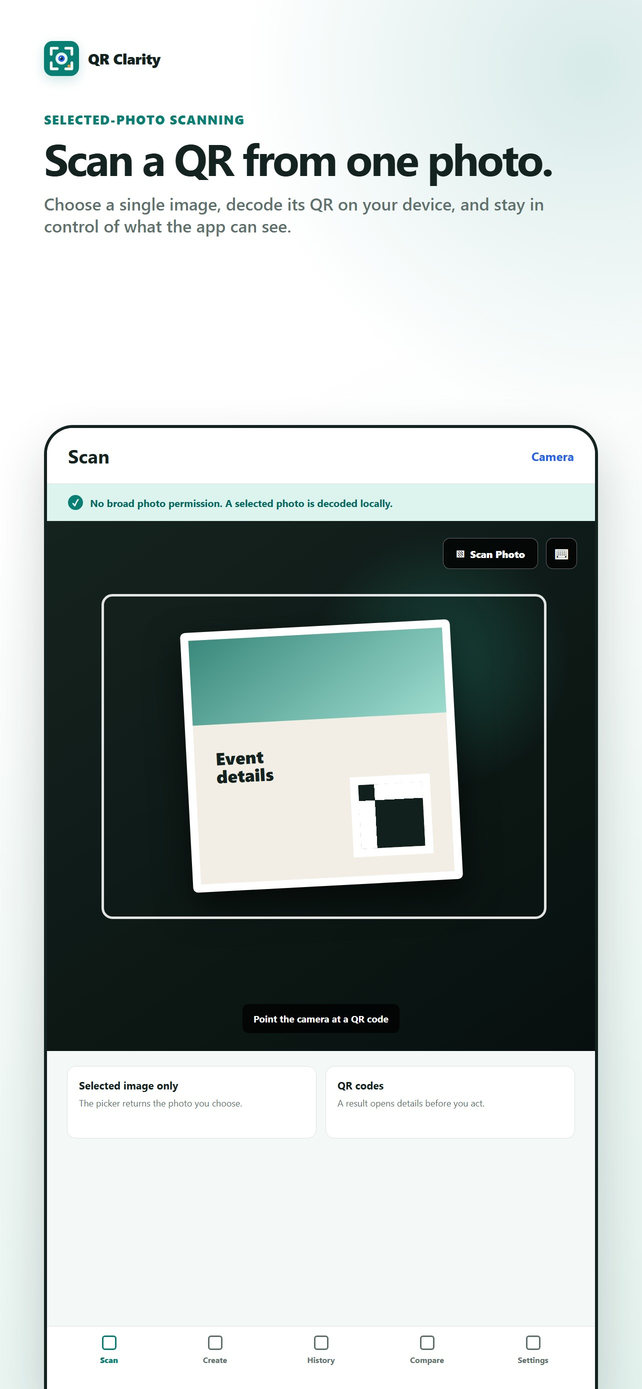
Use the camera for a live scan, or choose Scan Phototo read a QR code from a selected image.
QR Clarity for iPhone
Scan and create QR codes with local history, clear link-structure signals, photo scanning, and privacy-first exports.
Core tools
QR Clarity keeps common QR tasks together while making the limits of local link checks explicit.
Scan
Use the camera for a live scan, or choose Scan Phototo read a QR code from a selected image.
Create
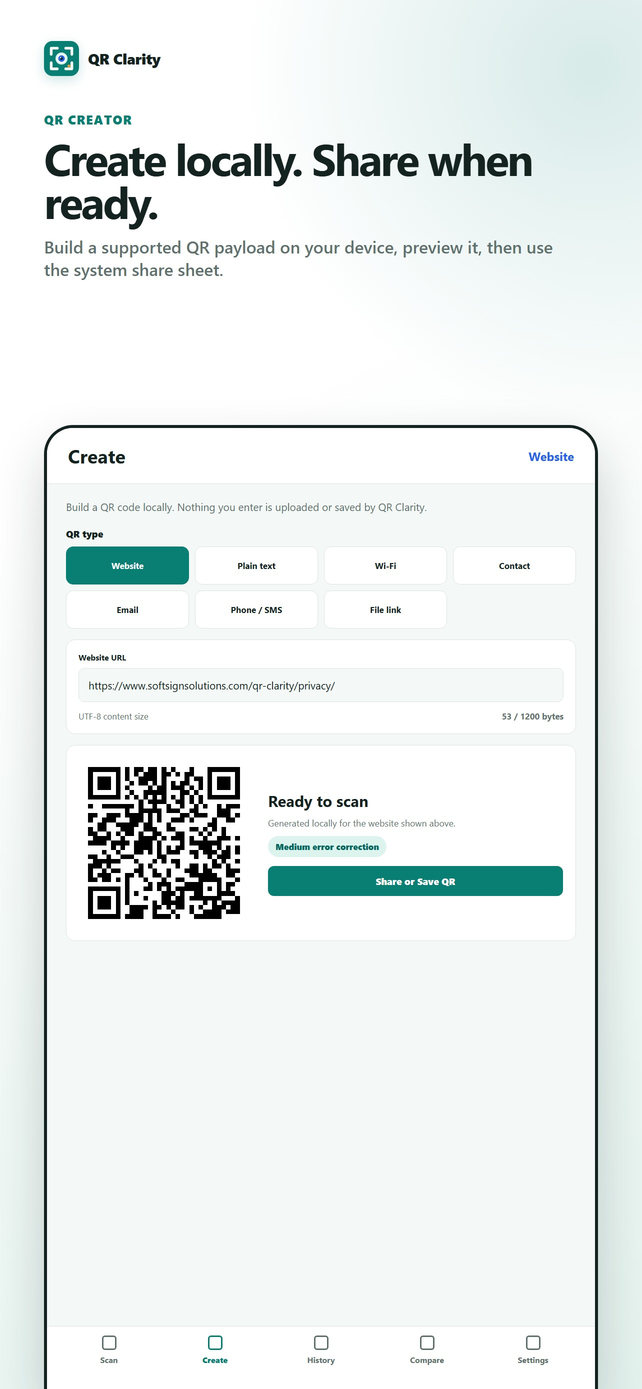
Create a QR code for a website, text, Wi-Fi network, contact, email, phone call, SMS message, or HTTPS file link.
Review
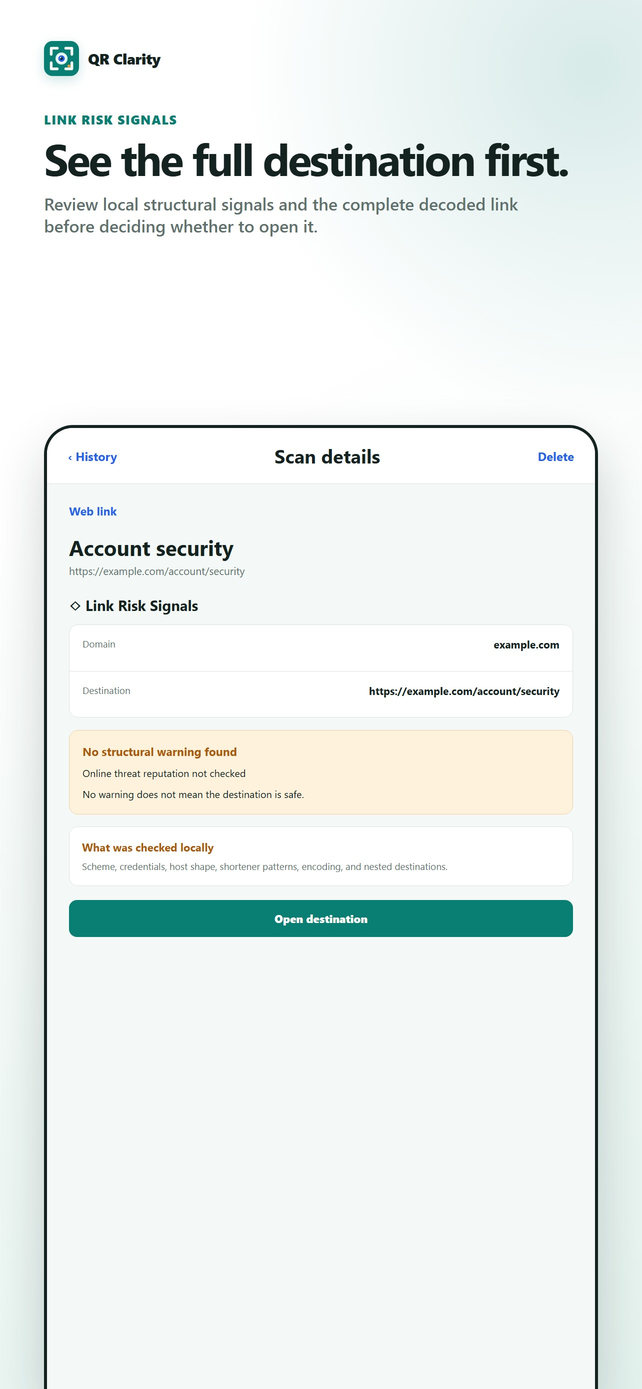
Local structural checks can call attention to details such as a non-HTTPS scheme, numeric host, unusual port, or lookalike characters.
Product screens
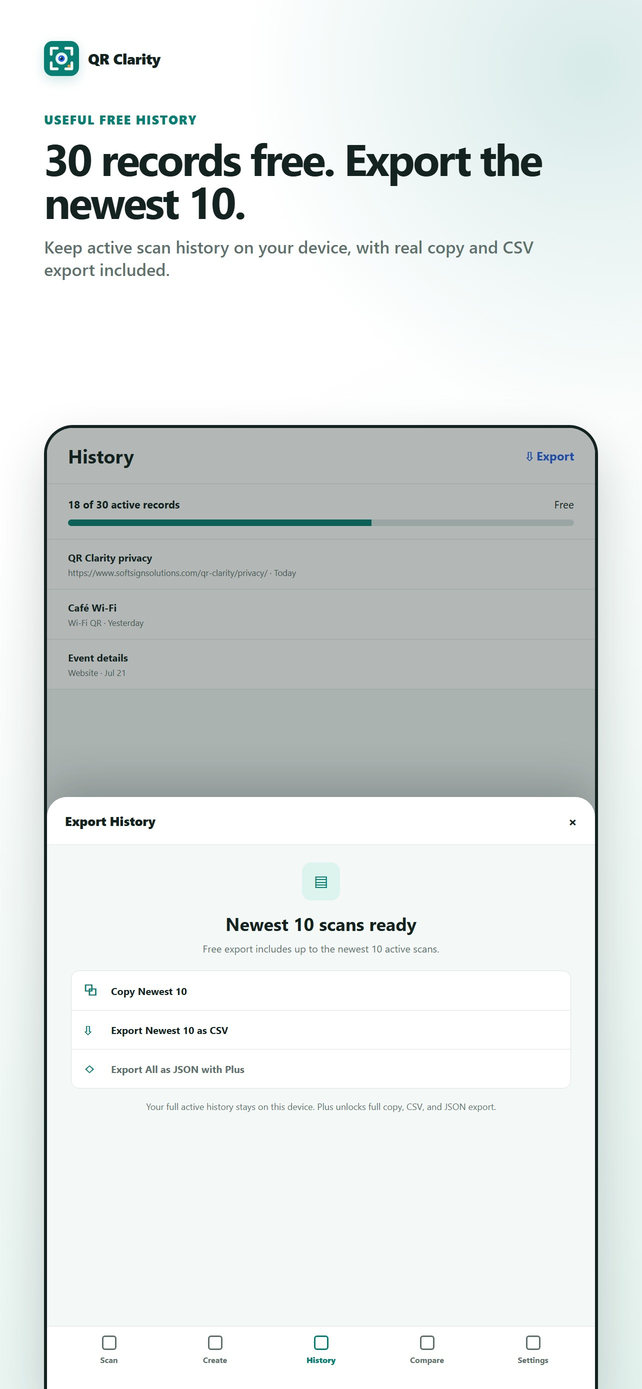
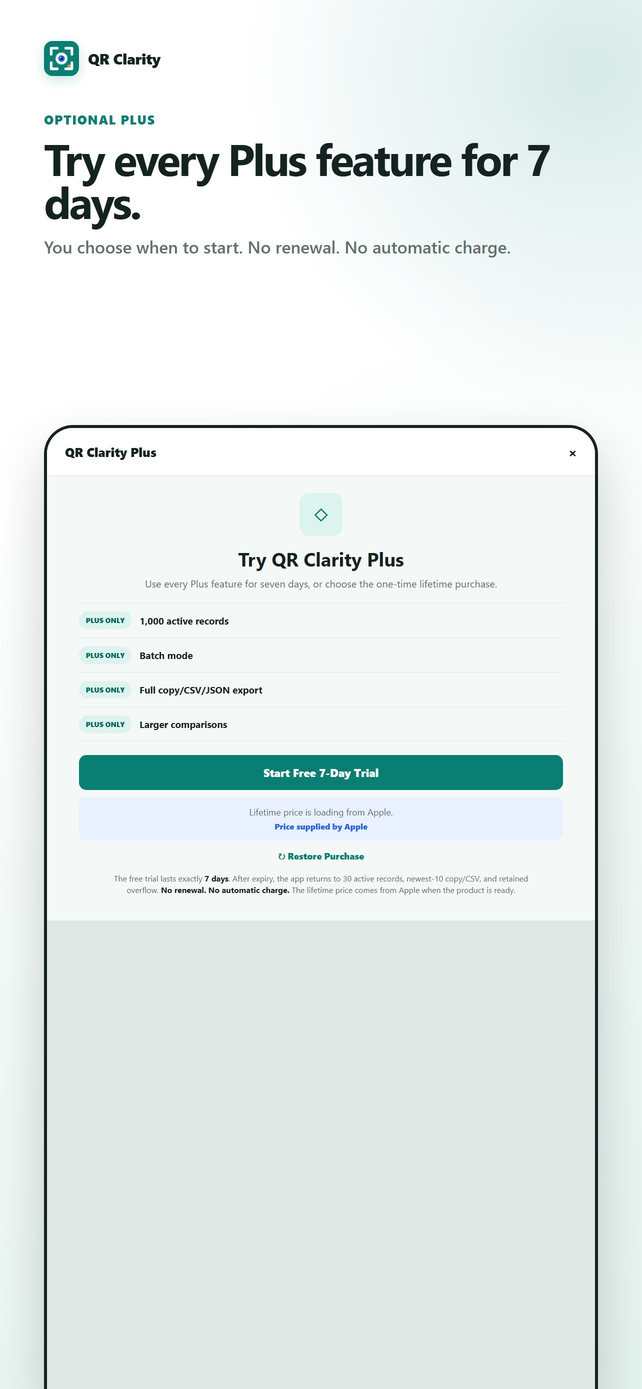
These verified QR Clarity screens accompany the written feature details and plan limits below.
File links
A QR code cannot contain a full photo or document. QR Clarity creates the code locally from an existing HTTPS link that you provide. It does not upload your photo or document, host the file, or change who can access it.
History and export
Start with useful free history and export. Plus expands capacity and higher-volume workflows. Annual and Lifetime are two ways to receive the same Plus features.
| Capability | Free | Plus |
|---|---|---|
| Local history | 30 records | 1,000 records |
| Copy and export | Copy or CSV for the newest 10 records | Full copy, CSV, and JSON export |
| Scanning | Individual scans | Individual scans and batch mode |
| Compare | Standard comparisons | Expanded to larger comparisons |
Feedback program
We are preparing a limited program for honest product feedback. Feedback may be positive or negative, selection will not be guaranteed, and no App Store rating or review will be required.
Privacy
Scanning, QR creation, Link Risk Signals, history, and export preparation happen on your device. QR Clarity has no app analytics and does not send scan history or created QR content to SoftSign Solutions.
Opening a destination, using an existing HTTPS link, or contacting support can involve the services you choose. Those services have their own data practices.
Read the QR Clarity Privacy PolicyHelp
Yes. Choose Scan Photo and select an image from your photo library. The image is processed for QR content on your device.
QR Clarity does not upload your photo or document. You provide an existing HTTPS link to a file you already host or share, and the app creates a QR code containing that link. Someone scanning it still needs network access and permission to open the linked file.
They are local, structural observations about a link. They do not visit the destination, follow redirects, or consult an online threat feed. They cannot determine whether a destination or its content is trustworthy.
Free includes readable copy and CSV export for the newest 10 records. Plus includes full-history copy, CSV, and JSON export for the records currently available in the app. The same Plus features are available through Annual, Lifetime, and any eligible Annual trial.
Eligible customers can use every Plus feature for seven days free. Annual renews at Apple's displayed yearly amount unless canceled. Canceling Annual preserves Plus access only through Apple's verified paid or trial period. Lifetime is a separate one-time purchase. The App Store purchase sheet is the source of truth for eligibility, displayed terms, and the yearly amount.
In the app, open Settings and choose Restore Purchases while signed in to the Apple Account used for the original Annual or Lifetime purchase. For Annual, use Manage Subscription to review or cancel renewal.
The App Store listing is the source of truth for current availability in India. Open it while signed in to your Apple Account to see availability and Apple-localized purchase options for your region.
Not yet. Android remains a future phase, and there is no Google Play release today. You can share Android interest throughQR Clarity Support.
Important limitation
Link Risk Signals are informational only. They are local structural checks and do not establish whether a QR code, link, file, sender, or destination is safe, legitimate, or trustworthy.
Online threat reputation not checked.QR Clarity does not inspect destination content or determine whether it contains harmful material. No warning does not mean the destination is safe. Review the full destination and use your own judgment before opening a link or sharing information.